
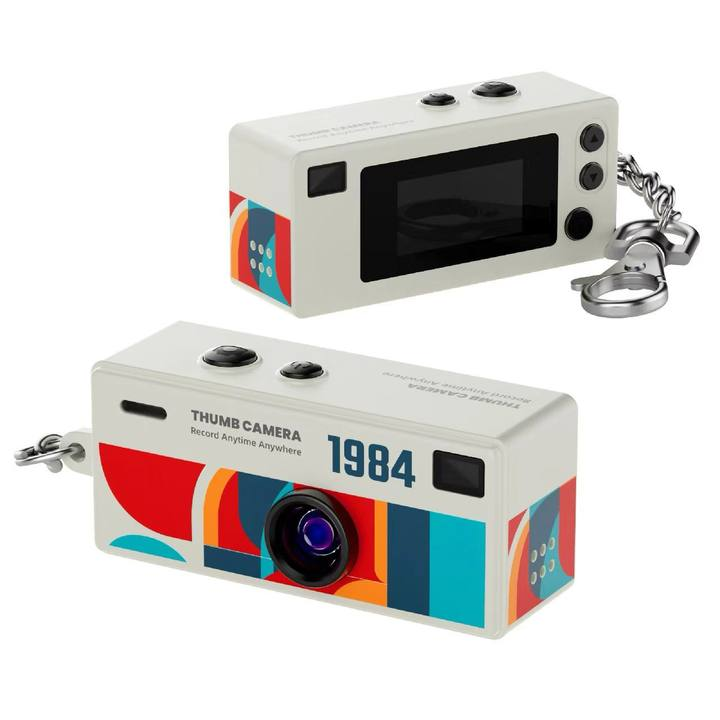
Model: G6
Name: Mini Keychain camera
📘User Manual
Download the latest user manual for detailed instructions and specifications.
Version: 2025.11 | Size: 2MB
⚙️Firmware Update
Keep your device up to date with the latest performance and security improvements.
Version: 2025.11
Updated: 2025-11-15
How to update?
1. Download the Firmware(G6_hx330x_sdk.zip): Download the firmware to your computer.
2.Extract the File: Unzip the firmware file you downloaded.
3.Copy to Memory Card: Transfer the extracted firmware file(hx330x_sdk.bin) to the memory card of your camera.
4.Insert the Memory Card: Insert the memory card back into the camera.
5.Start the Upgrade: Turn on the camera to initiate the firmware upgrade.
Important Notes:
- Ensure the camera battery is charged to at least 50%.
- Do not turn off the camera or remove the memory card during the upgrade process.
- After Upgrade: Once the upgrade is complete, remove the memory card and connect it to your computer using a card reader. Delete the firmware files from the memory card.
Frequently Asked Questions
Q1: Why is my camera’s disk not showing when connected to the computer?
Insufficient Power Supply: The USB port may not provide enough voltage. Avoid using a USB hub, as it may not deliver adequate power.
Try Different USB Ports: Change to another USB port on your computer and see if the camera is recognized.
Check the Cable: If the problem persists, try using a different USB cable to connect your camera to the computer.
Contact Support
If you encounter any issues while using the product or need further technical support, please contact us.
We will reply within 12 hours.